WordPress admin themes in 2026: the landscape, and where Refined Admin Dashboard fits
Search for "WordPress admin theme" and the rankings you find are often written by one of the contenders. One of the most visible, updated in September, comes from WP Adminify and puts WP Adminify first. We won't pretend to be above that: Refined Admin Dashboard is ours, and the reviews are in, we wrote them ourselves. So we set two rules for this one. Every fact below comes from the plugin's WordPress.org page or its maker's site, checked on 15 October 2026. And wherever another plugin does something better, we say so.
WordPress redesigned its own admin first
WordPress 7.0 arrived in May with a new default look for the admin, updated buttons and fields, smooth transitions between screens and a command palette. 7.1 followed in August with design tokens, used on some screens for now, and a Site Editor that follows your admin colour scheme.
There is still no dark mode. The proposal behind those tokens says a "'dark mode'-like experience will be explored in future releases" (source).
If you are choosing an admin theme, this changes two things. The stock admin looks better than it did a year ago, so a theme has to earn its place. And the theme sits on a base that keeps moving, so check how often its makers update it.
Four kinds of admin theme
Colour schemes change the colours through WordPress's own setting, the one in your profile. Admin Color Schemes, written by WordPress contributors, adds twelve of them. It is light and safe, but its listing was last updated in January 2022, and WordPress.org warns that it hasn't been tested with the last three major releases.
Skins restyle the screens WordPress draws. They work on WordPress's own markup, so a plugin that uses the standard screens gets restyled with the rest. Slate Admin Theme, Dark Mode for WP Dashboard, WP Adminify and Refined Admin Dashboard all work this way, at very different scales.
Replacement shells swap the admin screens for their own application. uiXpress, from the makers of UiPress, describes itself as a "Vue admin shell that replaces default wp-admin screens, not a skin over core markup". Their screens instead of WordPress's: a different bet, and a fair one.
Single-purpose tools handle one part of the admin: the menu, the dashboard page, the login page, the branding, or a box of small modules. They have the biggest audiences by far, and none of them restyles the whole admin. That one surprised us: the plugins that do restyle everything are small, at around 6,000 active installations or fewer each.
The full redesigns
WP Adminify
The biggest package of the bunch: four skins (Light, Dark, Gradient and Glass), dark mode from the toolbar, a menu editor and dashboard widgets, with add-ons for the login page and more. The free version covers a lot, unlimited media folders and notice hiding included. Seven of its nine admin templates, the login page add-on (Loginfy) and the full white label are paid: $79 a year for one site, or $129 for life. It has 6,000+ active installations and was updated this week.
uiXpress, by the makers of UiPress
Made for people who want to build their own admin: dashboards, menus, login pages, white label, and a dark mode that also covers third-party screens. It replaces WordPress's screens with its own application, and in July its makers announced an "Admin Framework" that replaces wp-admin entirely, at its own address. It costs $97 once for one site. The free UiPress Lite is still on WordPress.org.
Ultimate Dashboard
Built around the dashboard page and the login screen, both free. The menu editor, white label and dark mode come with Pro, at $58 a year for one site. The rest of the admin keeps its stock look.
Dark Mode for WP Dashboard
Free, and it does one thing: a dark mode for the whole admin, block editor and Site Editor included, with 14 popular plugins supported out of the box. You get no light redesign and no extras. It has 3,000+ active installations.
Slate Admin Theme
A clean free skin, last updated in January 2022 and flagged as untested with the last three major releases. Its FAQ owns up to it: "there's a good chance I've missed some stuff."
Older lists still mention two more. Absolutely Glamorous Custom Admin is still on WordPress.org, but its makers no longer sell the paid upgrade. Kodeo Admin UI left WordPress.org in 2022.
The single-purpose tools
- Admin Menu Editor (300,000+ installations) handles the menu, and handles it well. At the time of writing, its maker's site says Pro sales are suspended.
- White Label CMS (200,000+) and Branda (20,000+, by WPMU DEV) brand the admin for agencies, with your logo, the login page, a dashboard panel and hidden menus. Neither restyles the admin.
- LoginPress (200,000+) covers the login page alone, with far more design controls for that one screen than any full redesign.
- Admin and Site Enhancements (200,000+) packs 61 free modules, from duplicating posts to a custom login address and a menu organiser. Its free version also moves notices into a panel in the admin bar, close to what our notices centre does. It has no skin. If you want lots of small tools and no redesign, start there.
Refined Admin Dashboard on this map
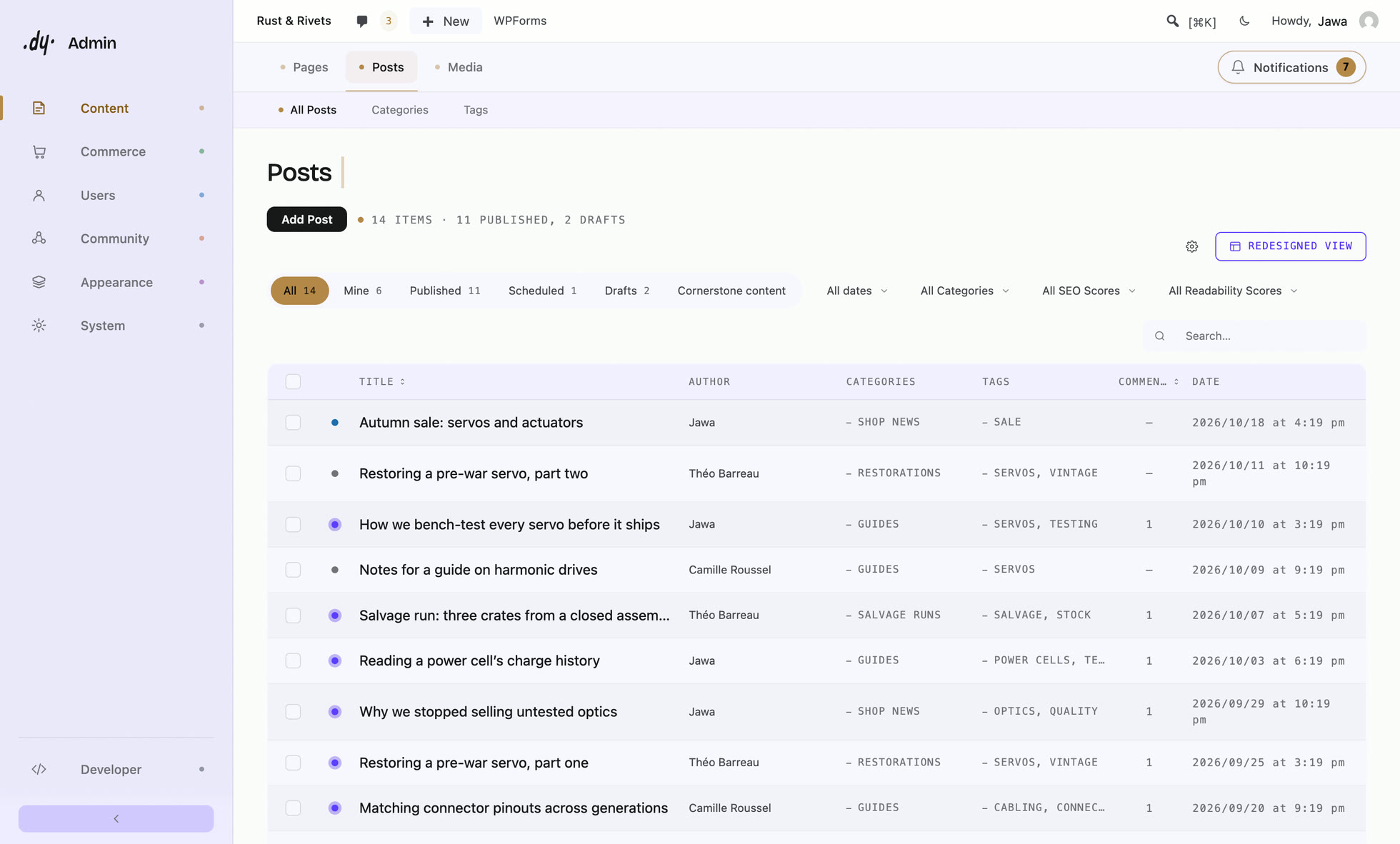
Refined Admin Dashboard is a skin pushed to every screen. It redraws the whole admin in dark or light by styling the markup WordPress already produces, so your plugins follow, and it leaves alone any plugin that brings its own interface, such as a page builder. You also get a menu editor, a dashboard you compose for each role, every notice gathered in one place instead of hidden, your logo and colour down to the login screen, the whole of Refined Media Library with its folders, and ten small tools that replace small plugins. All of it is free, with nothing held back. Suspiciously good for something this free, as the plugin likes to say about itself.
It also has gaps you should know about before you pick it:
- it has no builder for custom admin pages or a separate admin application, which uiXpress offers;
- it arranges one menu for the whole site, where Admin Menu Editor Pro sets permissions role by role;
- it gives you fewer controls over the login page than LoginPress;
- it can't rename plugins in the admin;
- and it is young: version 1.0 came out on 14 October 2026.
Picking one
- Different colours and nothing more: a colour scheme, or the new default look of WordPress 7.
- A dark admin and nothing else: Dark Mode for WP Dashboard.
- An admin application you build yourself: uiXpress.
- One part fixed, like the menu, the login page or the branding: the single-purpose tool for that part.
- The whole admin redrawn, your plugins included, for free: Refined Admin Dashboard. We would say that, of course. We also happen to be right.
Leaving one of these tools? Our guide to the alternatives takes UiPress, WP Adminify and Admin Menu Editor one by one.
Correction, 19 October 2026. We first wrote that WP Adminify charges for hiding notices and for unlimited media folders. Its own feature pages say both are in the free version, and the WP Adminify paragraph now says so.
The full redesigns, feature by feature
| Refined Admin Dashboard | WP Adminify | uiXpress | Ultimate Dashboard | |
|---|---|---|---|---|
| Every admin screen restyled | ✓ | ✓ | replaces them | ✕ |
| Dark mode | ✓ | ✓ | € | € |
| Menu editor | ✓ | ✓ | € | € |
| Dashboard you compose | ✓ | ~ | € | ✓ |
| Login screen branding | ✓ | € | € | ✓ |
| Price for one site | Free | Free · Pro $79/year | $97 once | Free · Pro $58/year |
✓ in the free version · ~ limited in the free version · € paid · ✕ not offered
Checked on 15 October 2026 on each plugin's WordPress.org page and official pricing page. Features and prices change.
Frequently asked questions
- What is the best WordPress admin theme in 2026?
- That depends on what you want changed. To have the whole admin redrawn in dark or light, with your plugins following, Refined Admin Dashboard does it for free. For a broad paid toolkit, look at WP Adminify; to build your own admin application, uiXpress; for a dark mode and nothing else, Dark Mode for WP Dashboard.
- Is there a free WordPress admin theme?
- Yes. Refined Admin Dashboard redraws every admin screen in dark or light for free, with nothing held back. Dark Mode for WP Dashboard is free and dark only. WordPress itself ships several colour schemes, and version 7.0 gave the admin a new default look.
- Does WordPress have a dark mode for the admin?
- Not as of WordPress 7.1. The proposal that brought design tokens to the admin in 7.1 says a dark-mode-like experience will be explored in future releases. Until then, you need a plugin.
- Will an admin theme break my other plugins?
- That depends on how it works. A skin that styles WordPress's own screens restyles the plugins that use the standard markup along with them. A replacement shell swaps the screens for its own application. Whichever you pick, try it on a staging copy of the site first.
- What is the difference between an admin theme and a colour scheme?
- A colour scheme changes the colours of the admin through WordPress's own setting, in your profile. An admin theme changes the layout, the type and often the navigation, and usually adds features such as a menu editor or a custom dashboard.
- What is the best alternative to UiPress or Admin Menu Editor?
- It depends on the tool you are leaving. Our guide to admin plugin alternatives takes them one by one: what each does better, what can replace it, and what you would lose with Refined Admin Dashboard.
- Is there a free alternative to WP Adminify?
- Yes. Refined Admin Dashboard redraws the whole admin in dark or light for free, with notices gathered in a counter and a login screen with your brand. It offers no choice of skins. Our guide to admin plugin alternatives compares the two in detail.